- OVERVIEW
Newsrooms need to prioritize thinking about healthy adaptation to the digital sphere. There have been three milestones in the last few decades that have made it harder for journalists to set boundaries:
- Mid to Late 1990s: First came the mass adoption of the Internet in the mid to late 1990s
- Late 2000s: Then came the development of smartphones that allowed the newsroom to follow you everywhere
- 2020 onward: Finally the widespread adoption of remote work during the Covid pandemic, which meant the end to physical limits on when and where journalists are expected to work.
However, most newsrooms have not stopped to think about what these shifts mean in practice, how we might need to change our ways of communicating to respond, and to help journalists and factcheckers protect themselves in our always-on culture.
“I miss regaining peace of mind. Thinking about work so much, it even disturbs me in my dreams. We haven’t learned how to set limits. When working online, it is never enough. It is much more difficult to be part of the dynamics and decisions.”
Patricia Cusicanqui
Editor-in-Chief at Bolivia Verifica

What is really urgent?
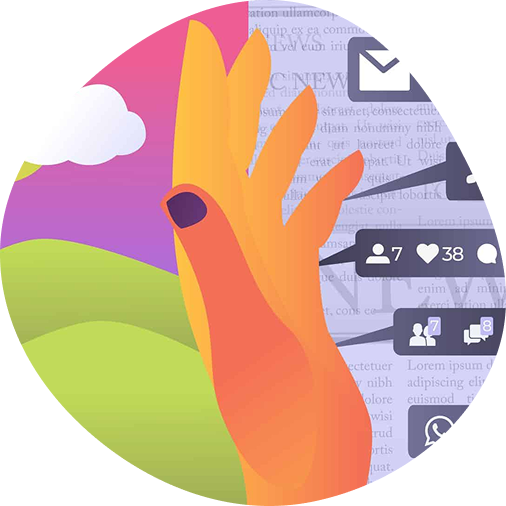
Most of us suffer from an “urgency bias”: beeping, flashing notifications on our phones and laptops make it hard for us to decide which messages really need our urgent attention. We tend to think that most of those communications are more urgent than what they really are. Journalists and fact-checkers, particularly those who work in a breaking news environment, are hardwired to believe they have to respond to everything quickly.
Darria Long, an emergency room doctor, urges people to stop describing our lives as “crazy busy” and start using the same kind of triage practices that are standard in hospitals to help us determine what is really urgent: “Here’s the truth: when you’re running around in ‘Crazy Busy Mode’, you’re simply harming your ability to handle the ‘Busy’,” Long says in her TED talk.
Multitasking is glorified in our profession (it is sometimes mentioned as a required skill in journalism job ads), but research shows we are more likely to make mistakes if we try to do more than one thing at once, and we’re also more exhausted.
Pablo M. Fernández, regional manager for Latin America and the Caribbean at the International Fund for Public Interest Media and Chequeado’s former executive director, is an expert in the challenges of setting boundaries while managing a fact-checking operation. “Leaving everything turned on is like living with a Christmas tree covered with flashing lights,” Fernández said. “You have agency.”
Tips for Individuals
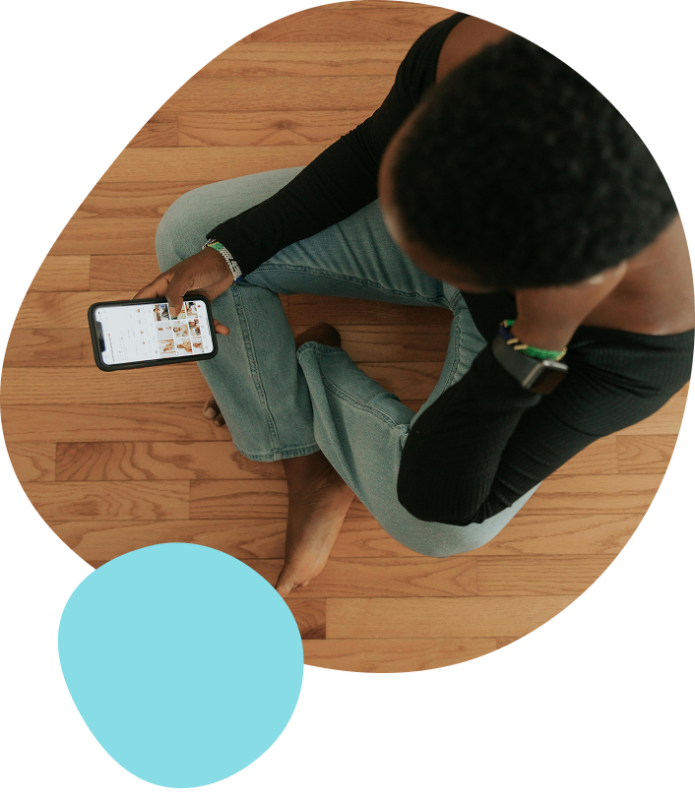
Do a regular digital check-up to find out how much time you are spending on different tools each day. Make conscious decisions about when and how you can be distracted, rather than allowing the default settings on your phones and computers to determine that for you. You can also set usage limits for certain apps. Here’s how to do it:
- In your cell phone: using the app Screen Time (iPhone) or Digital Wellbeing (Android)
- In your computer: Mac users can turn on Screen Time you can also purchase software, such as Rescue Time, to track your usage (you have to pay for it, but it has a 14-day free trial)
- Some apps, such as Instagram, allow you to set a daily time limit
- Try to have a personal and a work phone
To promote focus, get things done faster and minimize mistakes, set digital boundaries in the different tools you use, especially on the one that distracts you the most:
- Check in batches with a certain frequency (eg- every hour or every two hours)
- Set times, create rules, schedule messages
- Keep your inbox closed or use tools such as Inbox When Ready (for Gmail / Google Workplace) to hide incoming messages so you don’t get distracted as emails comes in (and that allows you to have the email open in a tab)
- Social Media
- Turn off notifications or tweak notifications. It is not just a question of on/off: you can set up preferences so you only allow certain apps in certain places, such as some in the office or some only at home.
- Add friction by setting screen time limits, putting the app in the second or third screen of your phone, or even go cold turkey and uninstall the apps from your phone!
- Pin the messages from the three most important people so they appear at the top
- Archive group chats when you don’t need them (eg- on weekends)
- Mark messages as unread so you can reply to them later by clicking on the “unread messages” list
- Add chats from key people to your list of favorites
- Slack / Teams / G chat
- Use status updates (to show when you are available) and set up your out of office hours to avoid being notified then
- In most platforms you can schedule messages (eg- in Microsoft Teams or on Slack)
- Agree as a team on how you want to use it
To protect your rest time outside of the office, here are some other ideas to try out:
- You can nominate people who can call you out of hours.
- Try to make it through breakfast without checking your phone!
- Mitigate your screen time at night, especially one hour before going to bed. Leaving the phone outside of the bedroom helps!
Switch from FOMO (fear of missing out) to JOMO (joy of missing out). Some losses will be unavoidable. If you make the decision to leave some WhatsApp groups, for example, from time to time you will miss something important.
“We have to choose between what we want to see and mourning what we are going to lose. We can’t choose everything; the key is to choose where to be.”
Pablo M. Fernández
Regional Manager, International Fund for Public Interest Media
- DID YOU KNOW?
Research shows that non-urgent work emails sent during nonwork time feel more urgent for receivers than for senders. The sender underestimates the stress that the receiver perceives. In fact, one out of every two people assume you want an answer in 30 minutes, according to Superhuman’s 2021 Workplace Wellness Report.
Tips for Managers
- SET RESPONSE EXPECTATIONS
Explicitly note when you expect a response to your messages, to counteract urgency bias. An example: a colleague sent a long voice message on WhatsApp at 5pm on a Friday evening but accompanied it with a note: “Not urgent, you can listen on Monday.” You can also mark if something is urgent (or not) in the email subject line.
- DEFINE COMMUNICATION PRIORITIES
Use the priority pyramid to help your team to agree which digital communication tools they prefer for different kinds of messages. “If the team can agree that the phone is for really urgent things, if no one is calling you out of hours, you don’t need to be checking,” Pablo said
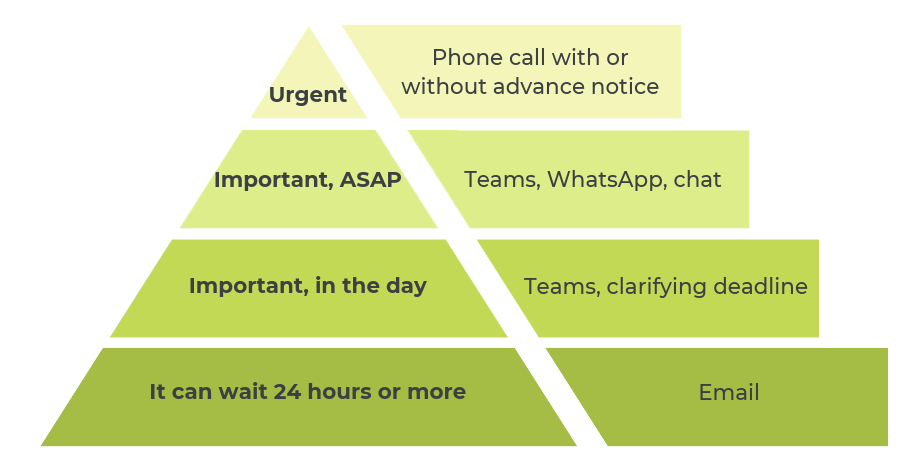
The Priority Pyramid: A tool to help teams agree on communication preferences and practice.
Source: Martina Rua & Pablo M. Fernandez, “How to domesticate your screens” (Spanish)
- DID YOU KNOW?
Gloria Mark, Chancellor’s Professor of Informatics at the University of California, Irvine, is one of the world’s leading experts on multitasking, interruptions, and mood with the use of digital devices. Her research shows that:
- Every time we are interrupted, it takes 23 minutes on average for us to get back into flow.
- People who are interrupted while trying to complete a task experience more stress, higher frustration, time pressure and effort.
44% of knowledge workers state that their company has no norms and standards around workplace communication. (This might explain, for example, why many people feel expected to respond to a manager immediately.)
Mental Health in Action
On her love-hate relationship with tech: “I like to have a break from it. But at least at AFP we are allowed to take a break. It is a big enough organization that someone will replace us while we are away. Not everybody has that luxury.”

Katarina Subasic
Editor, fact-checking team for Europe, AFP (Serbia)
Karen says that when she has an article to finish, she puts her phone in airplane mode or in another room for an hour. In the evenings, she also uses a blue light filter and sets her screen to monochrome to try to make mindless scrolling less tempting.
Karen Rebelo
Deputy Editor, BOOM Live (India)
I liked the idea of a digital checkup a couple of times a year, to be aware of where my time is going (on the phone especially), so those are intentional choices about where to spend time.

Eric Litke
Senior Editor for the FactCheck Team, USA TODAY (United States)
- Additional Resources
The Digital Wellness Institute offers tools, training and resources to improve focus, beat burnout, and improve mental health. We recommend their micro courses and their certifications, including “Certified Educator” and “Certified Champion.”
We also recommend Digital Wellness eBook: How Purposeful Digital Habits Improve Employee Mental Health, Retention, and Productivity. This ebook includes six steps you can take to boost digital wellness, including the most common mistakes leaders make.
Take Control Toolkit (Center for Humane Technology)
This toolkit includes a few important steps you can take right now to improve your digital well-being and regain control. Start with your own devices and invite friends or family to join you.
- Videos
The Social Dilemma (Netflix)
This Netflix documentary-drama hybrid explores the dangerous human impact of social networking, with tech experts sounding the alarm on their own creations. Its website includes tools to improve digital habits.
Staying sane and healthy as a journalist in an always-on culture (International Journalism Festival)
The Self-Investigation speaks with Paul Lewis, head of investigations at The Guardian, where he shares how they used the communications pyramid in his team.
- The Self-Investigation Academy
Ready for a deeper dive? The Self-Investigation recommends the following authors on this topic. These three authors have newsletters we recommend subscribing to, by going to their websites.
Newport’s three books — Deep Work: Rules for Focused Success in a Distracted World, Digital Minimalism: Choosing a Focused Life in a Noisy World, and Slow Productivity: The Lost Art of Accomplishment Without Burnout — all offer critical perspectives on the staying focus in a technology-saturated world.
Eyal’s Hooked: How to Build Habit-Forming Products and Indistractable: How to Control Your Attention and Choose Your Life bright insight to how we navigate focus and habits outside aggressive advertising and attention hacking. If you buy Indistractable, don’t forget to get the workbook for free.
- Authors
A unique self-paced online training to support you in making wellbeing a priority
About The Self-Investigation
We are a nonprofit catalysing a healthy work culture in the media industry globally by placing well-being and mental health as a core business strategy and value.
Credits
This guide was developed collaboratively by The SelfInvestigation team, based on trainings led by Pablo M. Fernández and Mar Cabra. The Mental Health Leadership Toolkit for Fact-Checkers was developed with generous support from the International Fact-Checking Network.
Authors: Emma Thomasson, Mar Cabra
Spanish Translation: Natalia Martín Cantero
Editors: A.X. Mina, Mar Cabra
Design: Mariam Mamdouh, Paula Montañà
Illustrations: Diana Cuéllar